FAQS
HOME CHARGING
GENERAL
-
Why do I need a home charger?
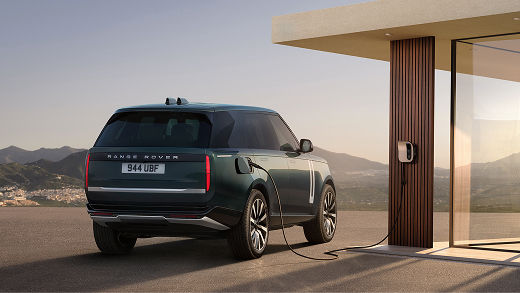
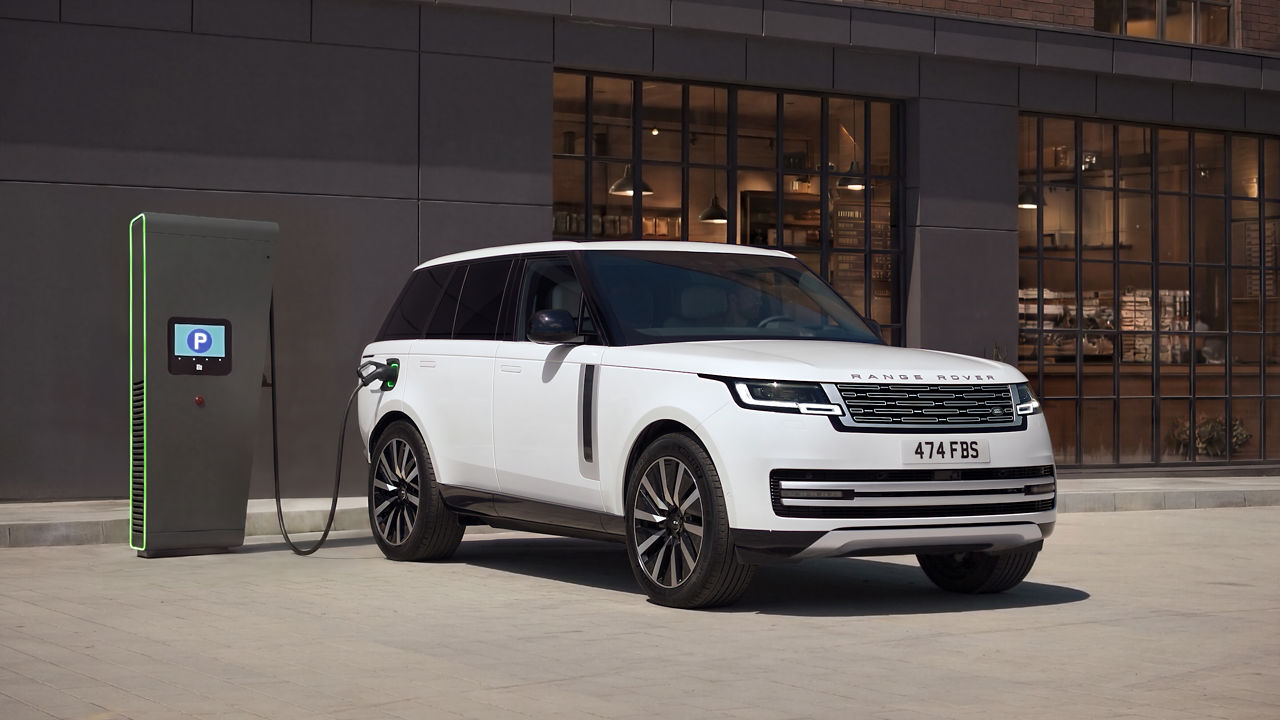
A home charger is the most convenient way to charge your electric or plug-in hybrid vehicle. It's faster and more efficient than a standard household plug socket. It'll potentially give you access to cheaper energy when utilising off-peak rates, especially compared to public charging.
-
Where should I put my charger?
Your installer will be able to advise on the best location for your charger. Generally, we'd recommend installing it:
- Within six metres of where you park your vehicle
- On a sturdy solid/brick wall (the Range Rover Home Charger weighs around 6kg)
- Over 75cm above the ground
- Somewhere with a good WiFi signal
-
What is 'single-phase' and 'three-phase' supply?
Single‑phase electricity uses one flow of power and is suited to smaller household needs, while three‑phase electricity uses three flows working together to provide a stronger supply for bigger homes or businesses. A three-phase supply can enable faster EV charging. If in doubt, ask your electricity provider, installer or a qualified electrician.
-
What is the difference between a 7kW and 22kW charger?
The charging power of a home charger is measured in kilowatts (kW). This indicates how quickly electrical energy can be supplied to charge an electric vehicle’s battery. A 7 kW charger provides a steady, everyday charging speed suitable for most vehicles. A 22 kW charger can charge a vehicle up to three times faster than a 7 kW charger. However, this higher speed is only achievable if the vehicle is capable of accepting the higher speed and the property has the required electricity supply connection. If either of these conditions is not met, charging speeds will be limited accordingly.
-
How big is the Range Rover Home Charger, and how long is the cable?
The Range Rover Home Charger measures 280mm x 280mm x 148mm and weighs 6kg. It has a 7.5m cable.
ACTIVATION
-
Can I use the Range Rover Home Charger on other electric vehicles?
Yes. The Range Rover Home Charger uses a Type 2 connector. This means it should be compatible with most electric vehicles on the market. Please check your vehicle is compatible with a Type 2 connector before attempting to charge.
-
How do I start a home charging session?
Plug your Range Rover Home Charger into your electric vehicle and a charging session will start automatically. If a charging schedule is set, the charger will wait until the scheduled time to begin charging. You can also initiate charging using the Range Rover App*.
*Requires a compatible smartphone. Mobile network connectivity cannot be guaranteed in all locations.
-
How do I set up a charging schedule in the Range Rover App?
You can configure a charging schedule by selecting 'Schedules' on the charger screen in the Range Rover App*. Select 'Add task' and set the required hours using the time range selector.
*Requires a compatible smartphone. Mobile network connectivity cannot be guaranteed in all locations.
-
How do I view my charging history?
Visit the reporting section of the Range Rover Home Charger home screen in the Range Rover App*. This will show you details of past charging sessions, including start/end times, energy consumption and costs.
*Requires a compatible smartphone. Mobile network connectivity cannot be guaranteed in all locations.
-
How do I export my charging history?
You can use the reporting feature in the Range Rover App* to download a copy of your charging history in a CSV document using the export icon in the top right hand corner of the screen.
*Requires a compatible smartphone. Mobile network connectivity cannot be guaranteed in all locations.
-
I didn't purchase a Range Rover Home Charger - will my Range Rover App still work with my existing home charger?
Any home charger with a Type 2 connector should be able to charge your Range Rover. Please check your home charger is compatible with a Type 2 connector before attempting to charge. However, you won't be able to control charging via the Range Rover App - you'll need to use the alternative home charger's app (if available) instead.
-
My scheduled charge is not starting, why?
Verify schedules: Ensure there are no conflicting schedules between your Range Rover Home Charger and your vehicle.
Check connection: Visit the charging screen of the Range Rover App to confirm your Range Rover Home Charger is connected, plugged in, and not showing any errors.
Wait: Allow up to 10 minutes for charging to start. This delay is known as a 'randomised delay' and is intended to help prevent overloading the national grid.
For any persistent faults, please see the 'I'm unable to charge' FAQs.
* Requires a compatible smartphone. Mobile network connectivity cannot be guaranteed in all locations.
-
Why can’t I see my latest charge?
Refresh the Range Rover App for the latest charging information. Charge summaries will appear at the end of a charging session, after you unplug. If the issue persists, please contact customer support for assistance.
-
How do I set up my Energy Tariff?
When connecting your Range Rover Home Charger to your Range Rover App, you'll have the opportunity to add your energy tariff details, including peak and off-peak rates. This allows you to optimise and monitor the cost of charging sessions. You can also update this information in the Range Rover App settings.
PUBLIC CHARGING
GENERAL
-
Where can I charge?
With Range Rover Charging, you get convenient access to more than 1 million* charge points across the UK & Europe. Use your Range Rover App to locate and filter charging locations and view real time status and availability.
*Correct as of 13/03/2026.
-
How long does it take to charge?
There are a number of factors that can affect how long it takes to charge your Range Rover. These include whether the charge point is AC (Type 2) or DC (CCS), the power rating of the charge point, and other variables including, without limitation, the level of charge and the temperature of your Range Rover battery.
-
What do I do if the charger doesn't work?
In the event you encounter any issue related to the charge point itself, we recommend contacting the charge point operator. Please refer to signage on the charge point or the charge point operator contact details, which can be accessed from the Location page in your Range Rover App.
If you are having issues with your Range Rover Charging account, please reach out to us via the contact options in the support section of the Range Rover App.
-
Which cables do I need?
Your new Range Rover will have a Type 2 and CCS connection. Your Type 2 (AC) connection is used for slower charging, either at home or at destinations. Most Type 2 charge points will require you to use your own Type 2 cable, which is supplied with your new Range Rover.
CCS (DC) is typically used for high-powered chargers, such as those at motorway services or on-route charging hubs. CCS charge points will always have their own cable, so there is no need to worry about not having the right cable to use at a CCS charge point.
Your Range Rover App will display up-to-date information on charging locations, including cable and connection types.
-
What is the difference between AC and DC charging?
AC (alternating current) and DC (direct current) are the two types of power used when charging your Range Rover. AC charging is used for slower charging, such as at home. AC power is delivered to your vehicle from the charge point, and your vehicle then converts this AC power, using the onboard charger, into DC power, which is then fed into the battery.
DC charge points contain the conversion technology featured in the car's onboard charger, meaning the charge point can deliver DC power straight to your Range Rover battery. As DC charge points are able to deliver power directly to the battery, this means higher power delivery is possible.
-
Can I charge at a Tesla Supercharger?
Select Tesla Supercharging sites are open to non-Tesla electric vehicles, meaning it is now possible to charge your Range Rover using the Tesla Supercharger Network. Please download the Tesla app for instructions on how to sign up and access the network.
RANGE ROVER CHARGING SERVICES
-
What is public charging?
Public charging is all charging that is done away from your home. Use your in-vehicle infotainment or Range Rover App to locate and navigate to charging locations when away from home.
For greater convenience, sign up to Range Rover Charging to access a vast network of charging locations, all from one charging card, one app and one monthly invoice payment*.
*Range Rover Charging subscriptions, tariffs and payments are operated by and the responsibility of a third party service provider. Terms and conditions apply.
-
What is Range Rover charging?
Range Rover Charging gives you stress-free charging across the UK & Europe on an ever-growing network of more than 1 million ² public charging locations.
With our third party service provider, you can conveniently locate charge points from your Range Rover App or from within your Range Rover and seamlessly start charging with your Range Rover charge card. This is then billed via one simple monthly invoice.¹
¹Range Rover Charging subscriptions, tariffs and payments are operated by and the responsibility of a third party service provider. Terms and conditions apply.
²Correct as of 13/03/2026.
-
How do I sign up for Range Rover Charging?
Range Rover Charging can be accessed from the home screen or via the services area in your Range Rover App. From here, you are able to create your charging contract and choose your charging tariff.
Once you have created your contract, you will receive your complimentary Range Rover Charging card in the post, giving you access to more than 1 million² charge points across the UK & Europe. ¹
¹Range Rover Charging subscriptions, tariffs and payments are operated by and the responsibility of a third party service provider. Terms and conditions apply.
²Correct as of 13/03/2026.
-
How do I pay for charging?
Paying for Range Rover Charging is simple. Choose your tariff, charge your vehicle, and you will receive a monthly invoice containing all of your public charging for the month.
Alternatively, it is possible to pay directly at some charge points with your contactless bank card or charge point operator service. Use the location view in your Range Rover App to filter your charge point search on payment and access methods*.
*Range Rover Charging subscriptions, tariffs and payments are operated by and the responsibility of a third party service provider. Terms and conditions apply.
-
How do I change my Range Rover Charging tariff?
Account and contract management is accessed via the home screen or the services area in your Range Rover App. From here, you will be able to view all available tariff options and make any changes via the in-app web dashboard. Please note any changes to your tariff will take place at the end of the current billing period*.
*Range Rover Charging subscriptions, tariffs and payments are operated by and the responsibility of a third party service provider. Terms and conditions apply.
-
What is a Charging Card?
Charging cards are a commonly used method for starting and stopping charging sessions. Your Range Rover Charging card is the primary method used to access the Range Rover Charging network. A complimentary Range Rover Charging card is included with your account, which will be sent in the post when you sign up or can be provided by your retailer.
-
My Charging Card is lost or stolen – what do I do?
If you no longer have access to your Range Rover Charging card, you can order a new one from your Range Rover App. Go to the services area and be navigated to the Range Rover Charging site where you can manage your account and order a new card.
RANGE ROVER APP
GENERAL
-
What is the Range Rover App?
The Range Rover App is your ultimate companion for Range Rover Electric models - designed to keep you connected and in control wherever you go. Enjoy seamless connectivity, intelligent remote features, and exclusive editorial content, all in one place*.
Range Rover App features may include**:
Order Tracking - Stay updated on your vehicle’s journey from order to delivery
Home and Public Charging - Manage and monitor charging at home or on the go
Remote Commands - Lock, pre-condition, and locate your vehicle remotely
Security Monitoring - Keep an eye on your vehicle’s status and safety
Exclusive Content - Discover curated stories and insights from the world of Range Rover
* Requires a compatible smartphone. Mobile network connectivity cannot be guaranteed in all locations.
**Features may vary by market and may require an active subscription. For more information, contact your local retailer.
-
How do I get the Range Rover App?
You can download the Range Rover App from the Apple App StoreTM or Google Play StoreTM.*
*Compatible smart phones only
-
I am confused about which app I should download.
We'd encourage anyone to download the Range Rover App but only clients with a Range Rover Electric and Range Rover Sport Electric will be able to see their order details and access connected vehicle features. If you have an alternative vehicle, download the Land Rover Remote App from the Apple App Store™ or Google Play Store™*.
*Requires a compatible smartphone. Mobile network connectivity cannot be guaranteed in all locations.
-
Is my handset compatible with the Range Rover App?
The Range Rover app works on Apple devices with iOS 26.2 or later and Android devices with OS 9 or later.
ACCOUNT
-
I have an account, but my sign in details are not being recognised
If you see a message saying your sign-in details aren't valid, please check that the email address you're using is the one originally used to create your Range Rover account. Your password will be the same as the one used to link your vehicle to the Range Rover App.
If you've forgotten your password, please use the 'forgotten password' link on the sign-in page.
-
I forgot my password, how can I change it?
Please use the ‘forgotten password’ link on the sign-in page. Alternatively, you can change your password in your Account Settings.
-
How can I sign in to the Range Rover App?
You can sign into the Range Rover App using your password or device biometric features such as fingerprint recognition or face ID. This helps to ensure secure access to your Range Rover App account.
-
I have an existing InControl Account, can I use these details to sign in?
You can sign into your Range Rover App account using the details from your InControl Account . When you do this for the first time, you’ll be asked whether you’d like to enable biometric sign in for your device. Terms and Conditions and Privacy Policy specific to Range Rover App will apply.
-
How can I unlock my account?
You can unlock your account by using the ‘forgotten password’ button on the Range Rover App sign-in page.
ACTIVATION
-
Is my vehicle compatible with the Range Rover App?
We'd like to invite any of our clients to experience the Range Rover App. Currently, vehicle and order compatibility is only available with the New Range Rover Electric and Range Rover Sport Electric. The Range Rover App does not currently support Range Rover Petrol, Diesel or Petrol-Hybrid vehicles.
-
How can I add another vehicle to my Range Rover App?
You can add another vehicle to your Range Rover App account by tapping the 'add vehicle' icon at the top of the homepage. Up to eight vehicles can be added to your account, although only the New Range Rover Electric and Range Rover Sport Electric are currently accepted. The Land Rover Remote App is available for other models.
-
Can I link more than one Range Rover App account to my vehicle?
No. Only the primary owner (who first activates their connected services through the in-car Pivi system) can access the Range Rover App Connected Services for that vehicle. To use the Range Rover App, you must sign in with the same account that was used to connect to the vehicle.
-
How do I remove a vehicle from my Range Rover App?
You can remove a vehicle by navigating to the Vehicle Details page, tapping 'Remove Vehicle' at the bottom of the screen, and following the on-screen instructions. Before proceeding, you will be informed of any features or services that will no longer be available through the Range Rover App if you choose to remove your vehicle.
Please note: Vehicles must be removed from the app prior to transferring ownership. Any subscription is valid for the term purchased and removal of vehicle will not impact expiration or duration of the service.
-
What happens when I delete my account?
Deleting your Range Rover App account removes your profile details and any linked vehicle data. It may also affect access to other JLR services that use the same credentials. To request deletion of all personal data held by JLR, please contact our Customer Relationship Centre.
-
How do I add my vehicle to my app?
You can connect your compatible vehicle to the Range Rover App by selecting 'Add Vehicle' on the Range Rover App homescreen and following the on-screen instructions.
There is an in-vehicle requirement to sign into the vehicle to complete the activation. Activation is confirmed via email and can take up to 72 hours to be received.
If you experience issues, please contact your retailer or Customer Relationship Centre.
-
What benefits does adding a vehicle to my app bring?
By adding your compatible vehicle to the Range Rover App, you unlock a range of Connected Services that may be accessed via your smartphone, including*:
Remote access - Lock your vehicle, and control the climate remotely
Vehicle status - View charge levels, location, and overall vehicle health
Support - Quickly contact customer support when needed
*Features may vary by market and may require an active subscription. Requires a compatible smartphone. Mobile network connectivity cannot be guaranteed in all locations.
-
I am having problems connecting the vehicle, what should I do?
Please make sure that you have run the vehicle recently and it is in an open area with a good mobile signal. Double check that your sign-in credentials are correct, and you have a valid subscription. If you're still having issues, contact us using the support section of the app.
ACCESSIBILITY
-
Is the Range Rover App accessible for all?
The app is designed with accessibility in mind and is compatible with the OS requirements.
OWNERSHIP
Where can I find 'How To' films?
-
You can find and watch 'How-to' films on the Range Rover Electric Ownership page.
KEEP EXPLORING ELECTRIC